A tax lot is a record of each BUY order in thinkorswim®, including data used to calculate tax outcomes. Tax lots help traders with tax strategies by identifying differences between shares in the same position.
Each filled BUY order creates a tax lot with the following details:
| Open Date | The date on which the trade that first opened this position was made. |
| Symbol | The underlying asset’s trading symbol. |
| Exp | The expiration date, if applicable. |
| Strike | The strike price to be paid if the option is exercised, for applicable options. |
| Type | The type of the security the position is in. |
| Qty | The amount of a security held in the position. |
| Cost/Share | The average trade cost per share adjusted for fees, commissions, wash sales, and certain corporate actions. |
| Mark | The current market price of the symbol. |
| Total Cost | The total trade cost adjusted for fees, commissions, wash sales, and certain corporate actions. |
| Net Liq | The total value of the position if it were immediately closed. |
| P/L Open | The profit or loss since the position was opened. |
| Holding Time | Defines the position is long-term or short-term holding for tax purposes. |
| Wash Sale | Defines whether the position is a wash sale where a security is sold at a loss but then the same instrument or a substantially similar one is bought again within 30 days (Y for yes, N for no). |
Opening the View Trades window
The View Trades window in Position Statement has a Trades and Lot Details breakdown.
To open the Lot Detail window:
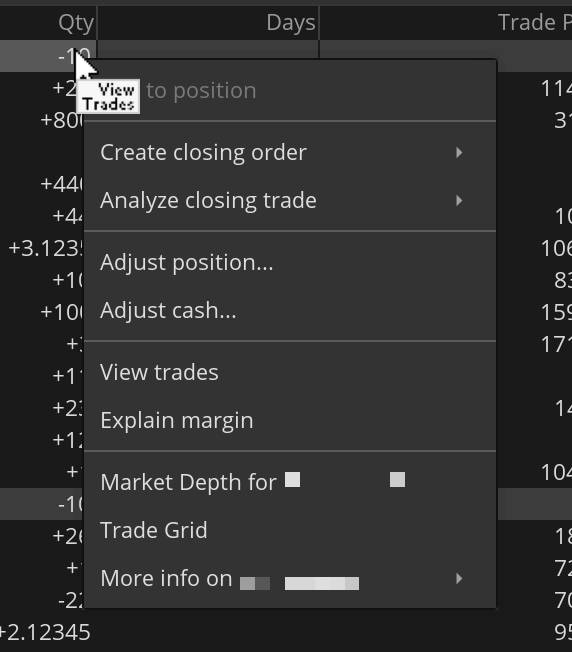
- Hover over a position and left-click it. Alternatively, right-click a position to open the menu with additional tools, then click View trades.
- Once the window is open, click Lot Detail.

You can also view trading lots using the same logic in the Active Trader interface.
Schwab does not provide tax advice. Clients should consult a professional tax advisor for their tax advice needs.